Unreal Mod Manager 1

A Mod for Neverness to Everness
Unreal Mod Manager Mod Preview Image
  • mod_context.png
    mod_context.png
    166.7 KB · Views: 296
  • char_context.png
    char_context.png
    167 KB · Views: 205
  • Active mods.png
    Active mods.png
    242.4 KB · Views: 204
  • mod_notes.png
    mod_notes.png
    96.4 KB · Views: 197
  • Nanally.png
    Nanally.png
    166.7 KB · Views: 183
  • Unassigned.png
    Unassigned.png
    224 KB · Views: 168
  • modfiles.png
    modfiles.png
    8.4 KB · Views: 151
  • add.png
    add.png
    6 KB · Views: 132
  • compact.png
    compact.png
    289.6 KB · Views: 238
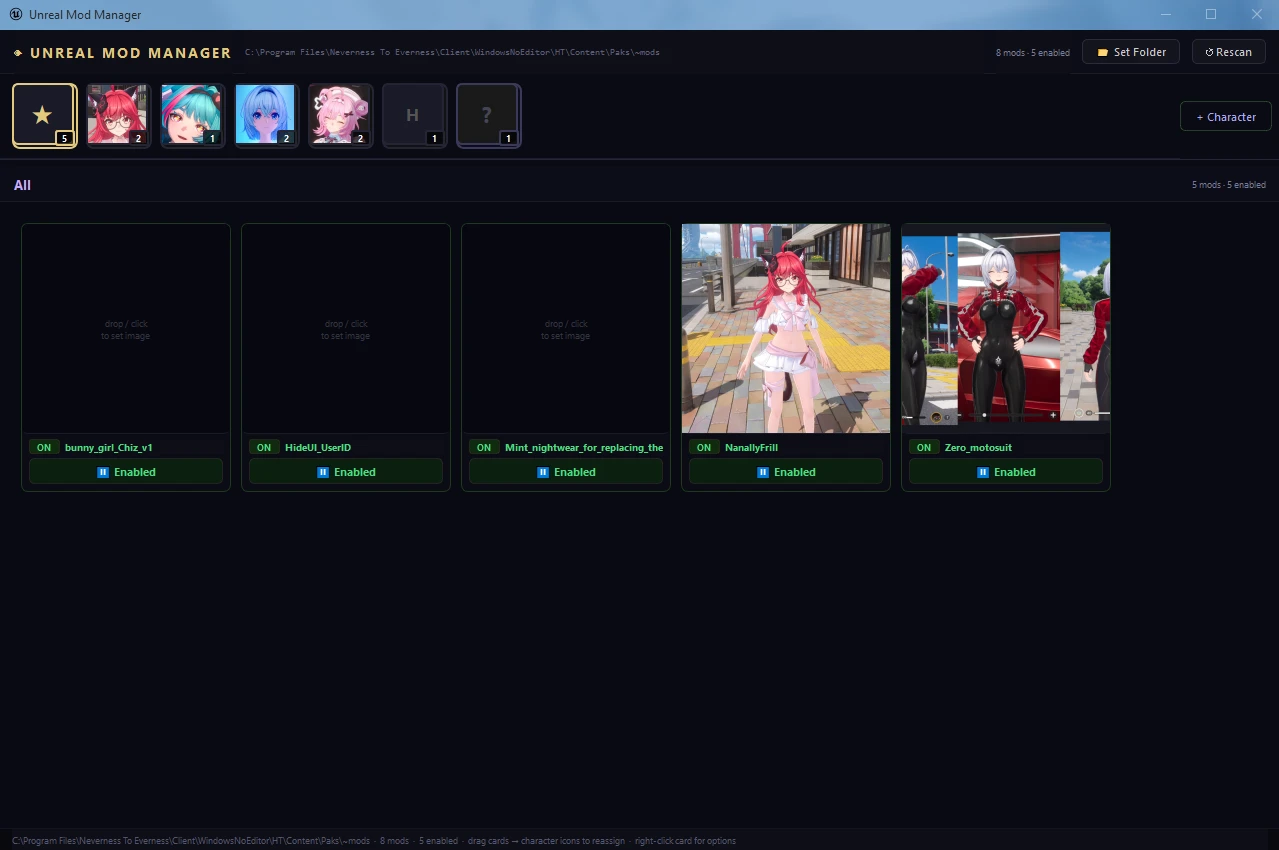
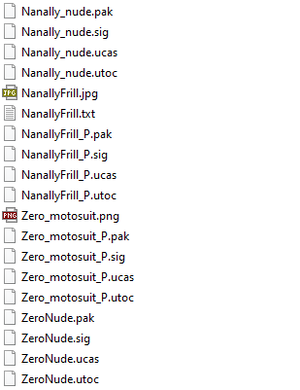
Mod manager for .pak [Unreal Engine] mods (including .utoc .ucas .sig), focused on fast and simple switching between multiple mods (without need to delete/move modfiles anywhere) and per-character grouping.
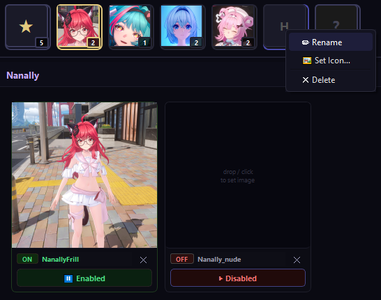
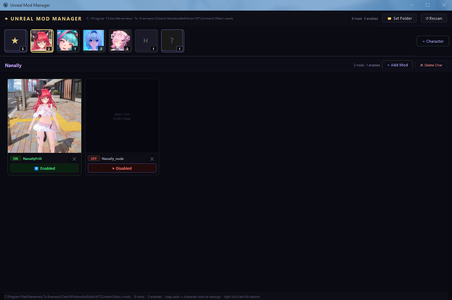
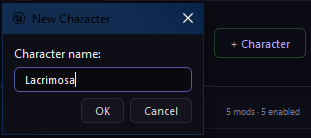
  • Character categories are created by pressing "+ Character" button and providing its name. Character icons can be created by either drag-dropping image over category, or pressing RMB -> 'Set Icon'.
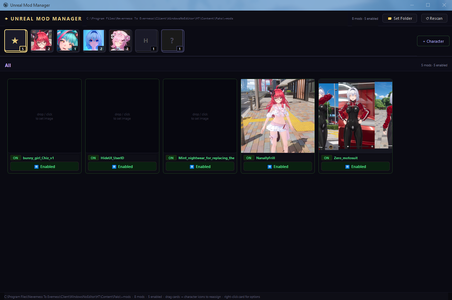
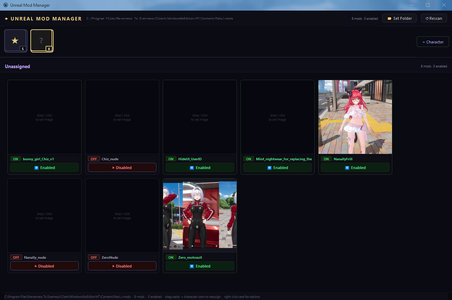
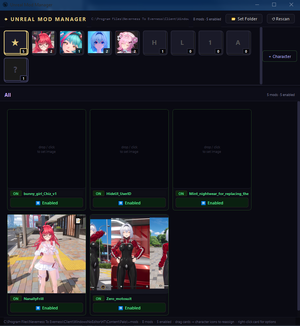
    First category displays all enabled mods, last - all unassigned mods.

  • Upon first launch and setting up ~mods path – all existing unfolded mods will be automatically loaded into "Unassigned" category and grouped per-mod(without need of manual re-setup).

  • Assigning mod for a character is done by drag-dropping its card over needed category tab. You can move already assigned mod to other character category same way. Clicking on "x" moves mod back into "Unassigned" category.

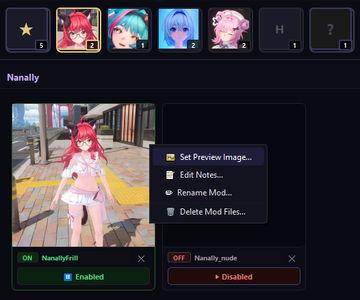
  • Mod previews can be generated by dropping image over preview box, clicking on preview box, or RMB -> "Set Preview Image".

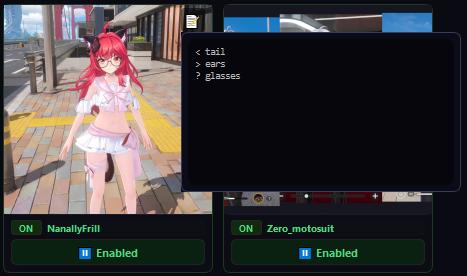
  • Every mod can store text associated with it(useful for mods with swapkeys/modifiers), to add it click RMB -> "Edit notes". Creating note adds display icon, clicking on it displays and allows to edit stored text within editor.

  • Drag-dropping zip archives over main frame exports mod content files only inside ~mods folder automatically unfolding all the subdirectories from the archive(if present). If there are also images files - first one will be extracted and assigned as mod's preview.

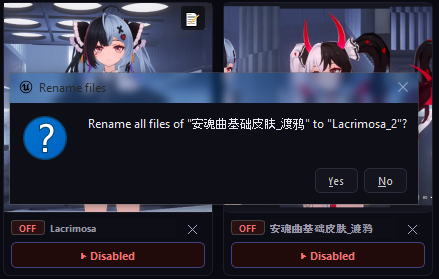
  • Enabling/Disabling mods is done by clicking on respective button (managed by _P suffix)

  • To update on-disk file changes outside of app - click "Rescan" button.
VT scan
  • Like
Reactions: Un1456 and puchamy
45.4 MB
Log in or sign up to download
Uploaded by
NightLancerX
Downloads
121
Views
1,189
First release
Last update
Platform
PC 
Version
1
Total Size
45.4 MB
Rating
0.00 star(s) 0 ratings

Uploaded by

  • 121
  • 1,189

Ratings

0.00 star(s) 0 ratings

More mods from NightLancerX

  • PC GlobalPersistSwapkey

NightLancerX

Modder
Modder
Members
May 6, 2026
0
3
It's a mod manager - not a loader. DX mode is irrelevant and can be any. Since UE mods can't be "hot-swapped" - you are intended to use it before game (re)start to switch mods quickly.
It can work with any UE game that uses .pak format (and up to same 4 files or less). Needed formats can be easily expanded, and when I move that setting inside config file - it will become truly universal UE mod manager for any amount of formats needed.
I have some of such features to be added when I'll get time for it and make sure that everything works properly.
 

ChronosReaper

Members
Members
Dec 27, 2025
0
0
I have a question. How do I use the swap keys on pak mods? They don't seem to work for me.
 

TheAestheticFur

Members
Members
May 7, 2026
0
19
It's a mod manager - not a loader. DX mode is irrelevant and can be any. Since UE mods can't be "hot-swapped" - you are intended to use it before game (re)start to switch mods quickly.
It can work with any UE game that uses .pak format (and up to same 4 files or less). Needed formats can be easily expanded, and when I move that setting inside config file - it will become truly universal UE mod manager for any amount of formats needed.
I have some of such features to be added when I'll get time for it and make sure that everything works properly.
That is a long-winded way to say the manager has an injector with DX12 support.
 

NightLancerX

Modder
Modder
Members
May 6, 2026
0
3
That is a long-winded way to say the manager has an injector with DX12 support.
Because it doesn't.
It is exactly how it's named - mod manager, not mod loader/injector.


There are guides how to load mods, or you can ask in discord.
This tool is made for people who already know what they are doing, every detail of what is supports is listed in description. Some more can be added - but game injector is not in that list.
 

Pocoseso

Members
Members
May 7, 2026
0
0
Is really bad explained, cant make it work, and cant put the unfolded files (.pak) in the same file since all of them have the same name, unless i change their name of each one, but, dont know, your instructions are very confusing.
 

puchamy

Members
Members
May 4, 2026
0
0
Posibility to enable a "Clean" launch or save mods presets?¿ Thanks

EDIT: Also sort the characters by name/ by number of mods etc...
 
Last edited: