Unreal Mod Manager 1.2

A Mod for Neverness to Everness
Unreal Mod Manager Mod Preview Image
  • mod_context.png
    mod_context.png
    166.7 KB · Views: 987
  • char_context.png
    char_context.png
    167 KB · Views: 676
  • Active mods.png
    Active mods.png
    242.4 KB · Views: 669
  • mod_notes.png
    mod_notes.png
    96.4 KB · Views: 649
  • Nanally.png
    Nanally.png
    166.7 KB · Views: 595
  • Unassigned.png
    Unassigned.png
    224 KB · Views: 534
  • modfiles.png
    modfiles.png
    8.4 KB · Views: 475
  • add.png
    add.png
    6 KB · Views: 430
  • compact.png
    compact.png
    289.6 KB · Views: 553
  • rename.png
    rename.png
    94.2 KB · Views: 590
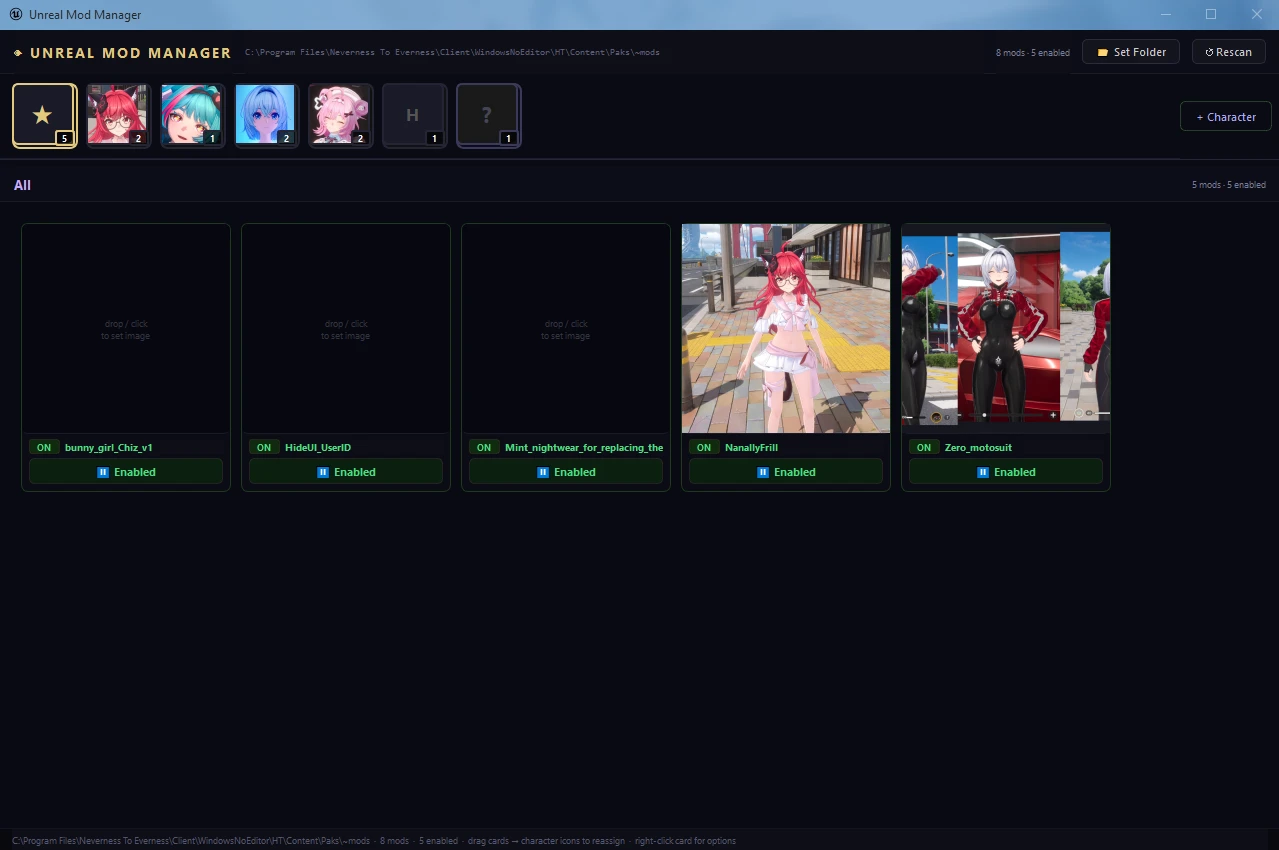
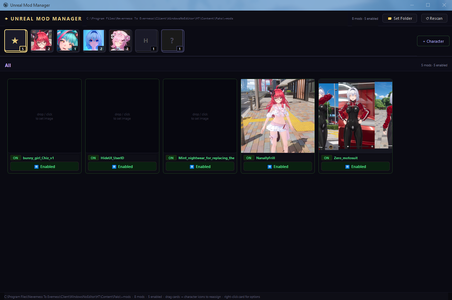
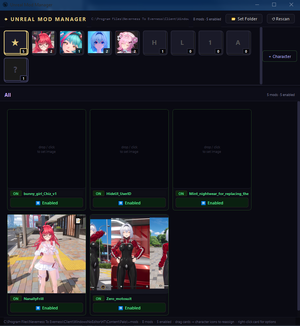
Mod manager for .pak [Unreal Engine] mods (including .utoc .ucas .sig), focused on fast and simple switching between multiple mods (without need to delete/move modfiles anywhere) and per-character grouping.
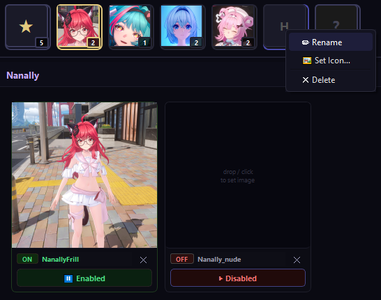
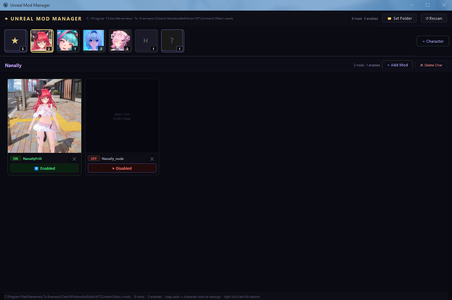
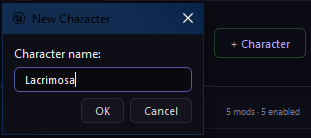
  • Character categories are created by pressing "+ Character" button and providing its name. Character icons can be created by either drag-dropping image over category, or pressing RMB -> 'Set Icon'.
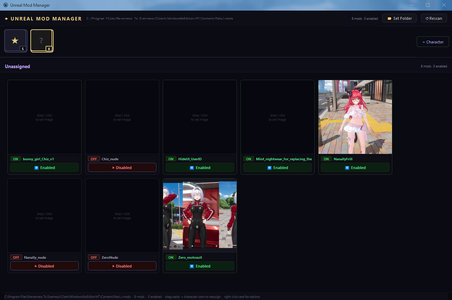
    First category displays all enabled mods, last - all unassigned mods. Characters can be reordered by being dragged along panel.

  • Upon first launch and setting up ~mods path – all existing unfolded mods will be automatically loaded into "Unassigned" category and grouped per-mod(without need of manual re-setup).

  • Assigning mod for a character is done by drag-dropping its card over needed category tab. You can move already assigned mod to other character category same way. Clicking on "x" moves mod back into "Unassigned" category.

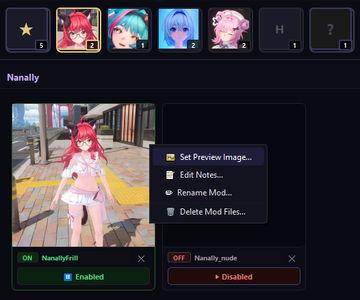
  • Mod previews can be generated by dropping image over preview box, clicking on preview box or RMB -> "Set Preview Image", RMB -> "Paste Preview from Clipboard".

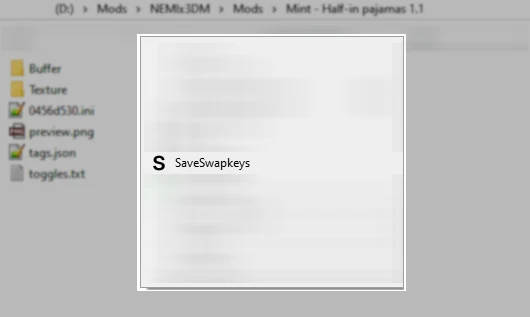
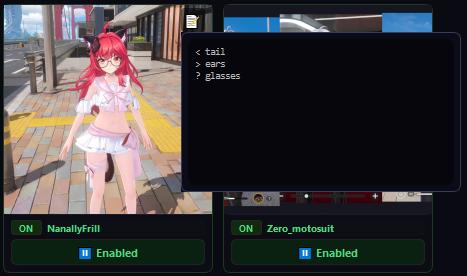
  • Every mod can store text associated with it(useful for mods with swapkeys/modifiers), to add it click RMB -> "Edit notes". Creating note adds display icon, clicking on it displays and allows to edit stored text within editor.

  • Drag-dropping zip archives over main frame exports mod content files only inside ~mods folder automatically unfolding all the subdirectories from the archive(if present). If there are also images files - first one will be extracted and assigned as mod's preview.

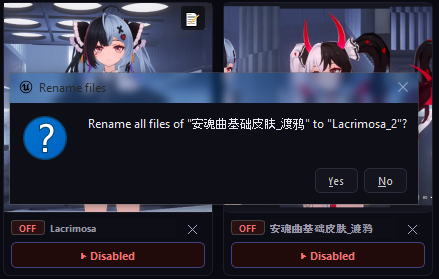
  • After assigning mod to character category all mod files can be automatically renamed using RMB -> "Rename to Character"

  • Enabling/Disabling mods is done by clicking on respective button (managed by _P suffix)

  • To update on-disk file changes outside of app - click "Rescan" button.
VT scan
  • Like
Reactions: Un1456 and puchamy
45.4 MB
Log in or sign up to download
Uploaded by
NightLancerX
Downloads
377
Views
4,357
First release
Last update
Platform
PC 
Version
1.2
Total Size
45.4 MB
Rating
0.00 star(s) 0 ratings

Uploaded by

  • 377
  • 4,357

Ratings

0.00 star(s) 0 ratings

More mods from NightLancerX

  • PC GlobalPersistSwapkey

Latest updates

  1. Unreal Mod Manager 1.2

    - if on importing mod from zip-archive specific character's category is active - mod will be...
  2. Unreal Mod Manager 1.1

    - Added "Paste Preview from Clipboard" and "Paste Icon" options to allow pasting previews from...

Poisson2.0

Members
Members
Jun 6, 2026
0
0
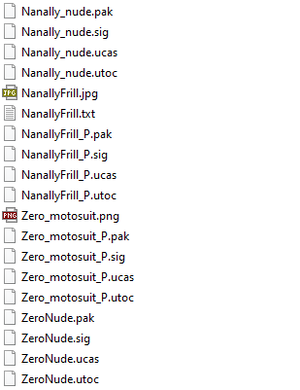
Ces fichiers ne sont pas dépliés (capture d'écran « modfiles »). Vous devez déplacer les fichiers « modfiles » dans ~modsle dossier principal si vous souhaitez les utiliser immédiatement.
J'ajouterai peut-être une option de dossiers à l'avenir.
Mode d'emploi :
Il suffit d'extraire le contenu dans \Neverness To Everness\Client\WindowsNoEditor\HT\Binaries\Win64.
 

NightLancerX

Modder
Modder
Members
May 6, 2026
0
7
Posibility to enable a "Clean" launch or save mods presets?¿ Thanks

EDIT: Also sort the characters by name/ by number of mods etc...
1.1 version now has ability to reorder characters. Enabled mods are also being displayed first now.
 

NightLancerX

Modder
Modder
Members
May 6, 2026
0
7
Is really bad explained, cant make it work, and cant put the unfolded files (.pak) in the same file since all of them have the same name, unless i change their name of each one, but, dont know, your instructions are very confusing.
You can use rename feature(RMB -> "Rename to Character") over any mod after putting it inside character's category to automatically rename all mod's files after that character in 1.1 version, that should make it easier.
 

puchamy

Members
Members
May 4, 2026
0
1
Hi, another suggestion:
Analize the mod and display the keys for change clothing, I have a lots of mods and take so long to find the keys and add as notes