Enemy Collision Synchronized v2.9

A Mod for Helldivers 2
Enemy Collision Synchronized akl_mod_preview_image
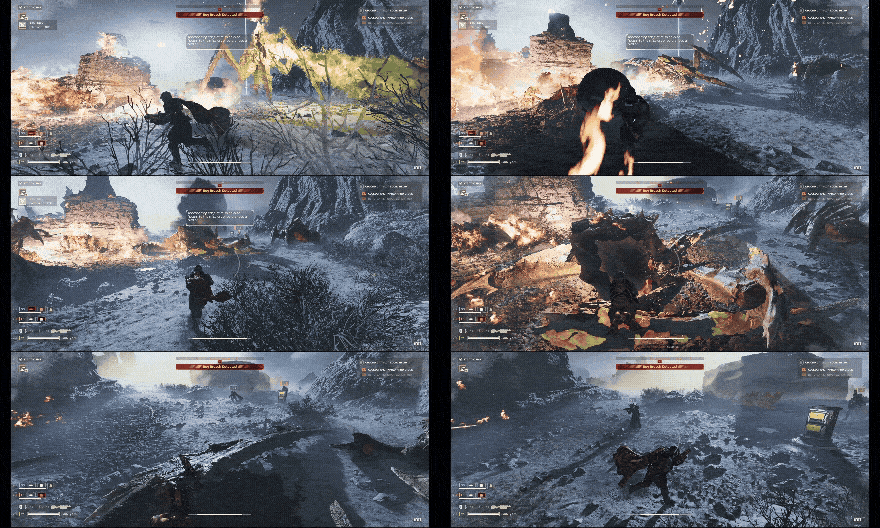
  • ezgif-27ec779440848862.gif
    ezgif-27ec779440848862.gif
    4.9 MB · Views: 355
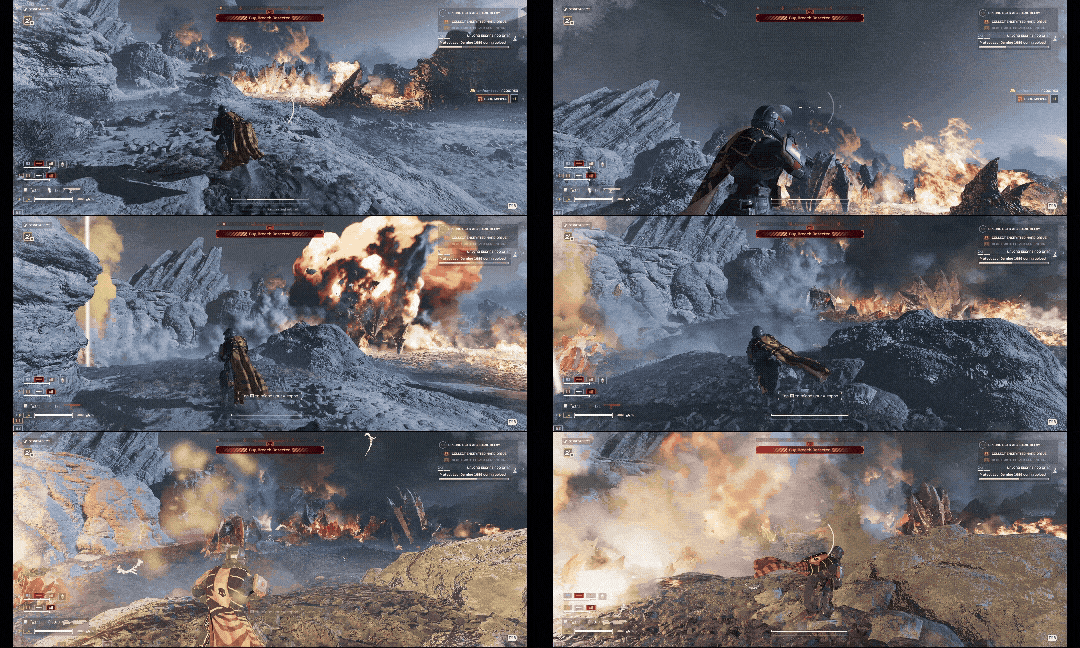
  • ezgif-229ca76f8d626717.gif
    ezgif-229ca76f8d626717.gif
    5 MB · Views: 356
Make sure you have the latest version of Bingus Shared Loader before downloading this mod.

Keeps large enemy corpse collisions aligned with their bodies and curbs the renewed ragdoll movement that can occur in vanilla.
  • Fewer invisible obstructions. Realigns displaced collision pieces on settled corpses so their blocking surfaces better match the visible body.
  • Calmer settled bodies. Detects substantial renewed movement after a remote corpse has settled and stops its ongoing ragdoll synchronization.
  • Cleaner Impaler remains. Disables the lingering collision on settled Impaler tentacle claws.
  • Coverage across factions. Includes compatible large Terminid, Automaton and Illuminate enemies, including Bile Titans, Impalers, walkers and tripods.
Corpse bodies retain their normal physical collision. The changes run on your game client; install with Bingus Shared Loader, or use Vanilla Plus Megapack with the loader.

This mod is a significant change and you may experience bugs while playing. Please report them in this thread and I will try to get them fixed as soon as possible.

This mod is client-side only and does not affect how corpses synchronize between other clients.

While all of my mods will always remain free and open source, you can help support my work and stay up to date on development over on Patreon:
1789499751269.png
  • Like
Reactions: CrownDiver
2.5 MB
Log in or sign up to download
Uploaded by
CowboyBingus
Downloads
441
Comments
25
Views
2,420
First release
Last update
Platform
PC 
Version
v2.9
Total Size
2.5 MB
Rating
5.00 star(s) 1 ratings

Uploaded by

  • 441
  • 2,420

Ratings

5.00 star(s) 1 ratings

More mods from CowboyBingus

  • PC Vanilla Plus Megapack

  • PC Know Your Constellation

  • PC Controllable Hover Pack

  • PC Bingus Shared Loader

  • PC Sentry Aim Retention

Latest updates

  1. Performance Improvements Hotfix #2

    Changelog: Reduced CPU overhead when checking corpses and settled ragdolls. Reduced temporary...
  2. Hotfix: Optimizations And Performance Improvements

    Changelog Reduced processing overhead when many enemies and corpses are present. Spread...

CowboyBingus

Modder
Modder
Members
Sep 9, 2026
52
48
Hey, thank you for all of your work creating these fixes, I have been using all of them and am amazed with how fast you're putting them out. They make the game much more exciting to play. However, this one seems to cause massive FPS loss - playing on Terrek against D10 Terminids, my FPS hovers between 20-40, while without the mod enabled, I get 70-80+. It is especially bad when there are many enemies, like around a mega nest. This is with all of your other mods also enabled. Thanks again for all your work.

Thanks for the report, I'll see if I can reproduce this issue and get a hotfix out soon.
 

CowboyBingus

Modder
Modder
Members
Sep 9, 2026
52
48
Hey, thank you for all of your work creating these fixes, I have been using all of them and am amazed with how fast you're putting them out. They make the game much more exciting to play. However, this one seems to cause massive FPS loss - playing on Terrek against D10 Terminids, my FPS hovers between 20-40, while without the mod enabled, I get 70-80+. It is especially bad when there are many enemies, like around a mega nest. This is with all of your other mods also enabled. Thanks again for all your work.

Hi fwisk, I've just pushed an update which reduced the overhead by ~55-70%. I did a run on Terrek but my rig is a bit strong so it's hard for me to see actual drops without benchmarking directly. Can you give this new hotfix a try and see how it works for you?
 

Katzenwerfer

Members
Members
Sep 13, 2026
1
1
Hi. Earlier I tried the first version of the mod and also found some extreme performance issues (specifically an abnormal and consistent increase in framerate variance). I was playing on Omicron and noticed the issue whenever there was a bug breach. From what I've tested, both Chargers and especially Impalers are the most problematic. The newer version works noticeably better, but I wouldn't know to what extent.
 

regna78

Members
Members
Sep 13, 2026
4
2
Could you also make a fix for the bug where Impaler tentacles don’t disappear?
 

CowboyBingus

Modder
Modder
Members
Sep 9, 2026
52
48
Hi. Earlier I tried the first version of the mod and also found some extreme performance issues (specifically an abnormal and consistent increase in framerate variance). I was playing on Omicron and noticed the issue whenever there was a bug breach. From what I've tested, both Chargers and especially Impalers are the most problematic. The newer version works noticeably better, but I wouldn't know to what extent.
I've set up an internal profiler to help me benchmark performance gains that can be made, and I plan to continue improving performance of the mod as much as possible. Knowing what planet you played on while experiencing the issue helps me get a good baseline for the testing, so I appreciate the report.
 

heroguy679

Members
Members
Sep 10, 2026
4
3
hey bingus, i dont know if its intended but shriekers fall down immediately, instead of flying at you with the corpse. idk if thats intended but its kinda funny seeing them immedietaly fall to the ground. also, sometimes, impalers will randomly spin and fly a bit, after their ragdoll has settled.
 

CowboyBingus

Modder
Modder
Members
Sep 9, 2026
52
48
hey bingus, i dont know if its intended but shriekers fall down immediately, instead of flying at you with the corpse. idk if thats intended but its kinda funny seeing them immedietaly fall to the ground. also, sometimes, impalers will randomly spin and fly a bit, after their ragdoll has settled.

Interesting, I haven't seen the shrieker issue before. Is this you hosting or joining as a client? And which version of the mod loader / megapack are you using?

As for the corpse still spinning / flying, I haven't been able to reproduce that yet, but I continually log my matches for physics desync issues so if I run across it, I can work on getting a bugfix pushed out. In the meantime, you should have a few log files available in %LOCALAPPDATA% on your computer. Specifically: CorpseCollisionRepair.log, EnemyCollisionSynchronized-Performance.log, and BingusSharedLoader.log.

If you can DM those to me that will be helpful in attempting to iron out any uncaught desync issues.
 

heroguy679

Members
Members
Sep 10, 2026
4
3
Interesting, I haven't seen the shrieker issue before. Is this you hosting or joining as a client? And which version of the mod loader / megapack are you using?

As for the corpse still spinning / flying, I haven't been able to reproduce that yet, but I continually log my matches for physics desync issues so if I run across it, I can work on getting a bugfix pushed out. In the meantime, you should have a few log files available in %LOCALAPPDATA% on your computer. Specifically: CorpseCollisionRepair.log, EnemyCollisionSynchronized-Performance.log, and BingusSharedLoader.log.

If you can DM those to me that will be helpful in attempting to iron out any uncaught desync issues.
i was hosting and using megapack v4 and bingusloader v9
 

OnlineMan19

Members
Members
Sep 16, 2026
4
5
Hey CowboyBingus, love all your mods, but unfortunately this one also tanks my performance. Using the absolute latest versioins from Github (V6 modpack and V11 loader)

Just wanted to let you know. Don't have any performance issues with your other mods.
 

CowboyBingus

Modder
Modder
Members
Sep 9, 2026
52
48
Hey CowboyBingus, love all your mods, but unfortunately this one also tanks my performance. Using the absolute latest versioins from Github (V6 modpack and V11 loader)

Just wanted to let you know. Don't have any performance issues with your other mods.

Hey thanks for the report. Can you send me the three files mentioned earlier, found in your %LOCALAPPDATA% folder, over a DM?

CorpseCollisionRepair.log, EnemyCollisionSynchronized-Performance.log, and BingusSharedLoader.log

That'll help me narrow down what's happening to cause the performance issues.