
Support Weapon Quad-Drop 0.5.1

A Mod for Helldivers 2
Support Weapon Quad-Drop akl_mod_preview_image
  • Screenshot_v042_account_censored.png
    Screenshot_v042_account_censored.png
    224.5 KB · Views: 869
  • Screenshot 2026-10-08 100913.png
    Screenshot 2026-10-08 100913.png
    3.2 MB · Views: 371

Support Weapon Quad-Drop ​


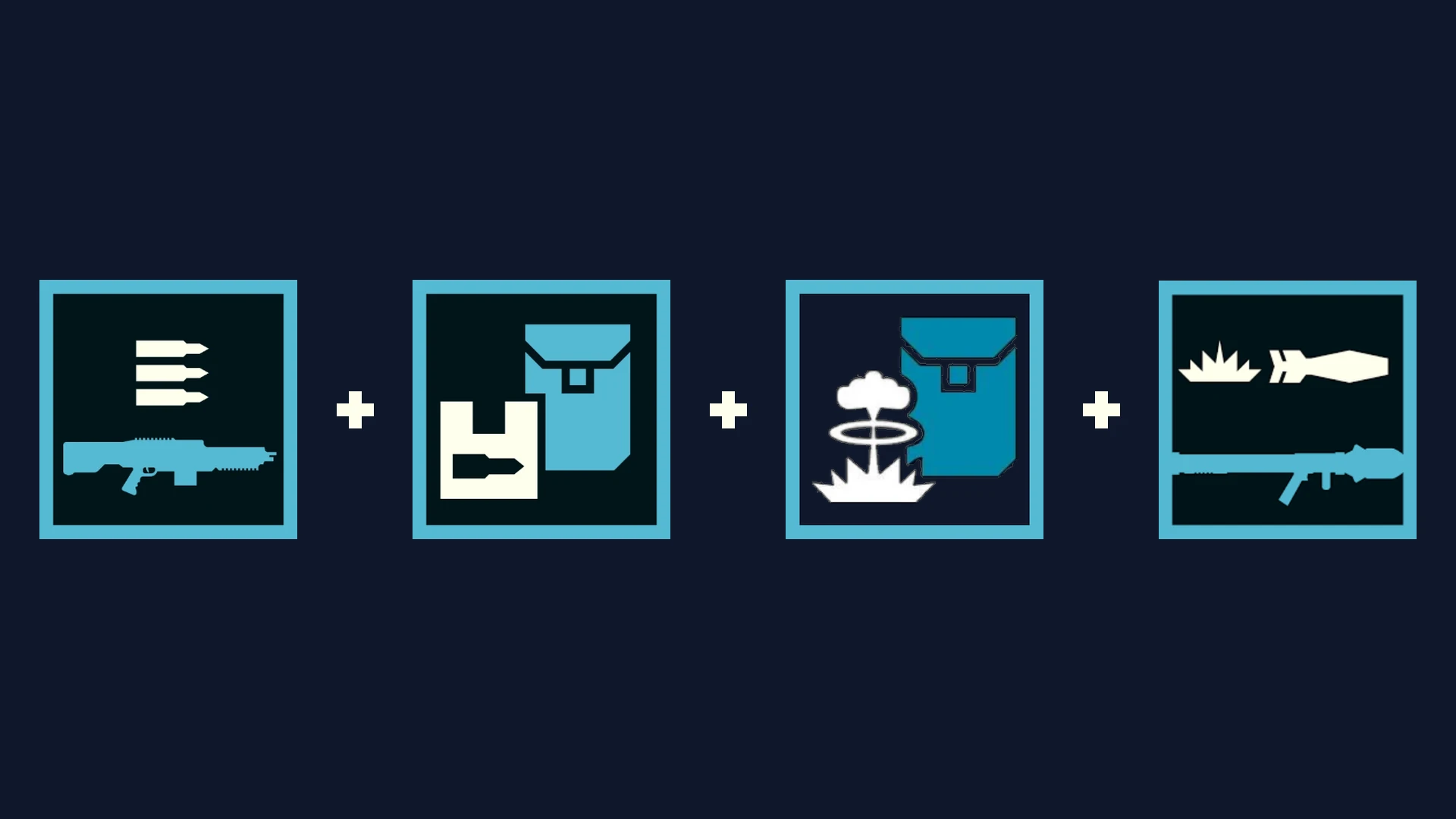
Support Weapon Quad-Drop expands your support weapon Hellpods with 3 bonus equipment slots. A single stratagem call-in drops up to 4 items simultaneously: your primary support weapon, a secondary weapon or payload, and two backpacks/utility items from the same hellpod.


  • • v0.5.0 (In-Game HUD) (currently fixing backpack weapons)​

    • Press F10 anywhere (Ship or In-Mission) to open Esc to close.
    • Customize all 29 support weapons individually.
    • Live search bar, mouse wheel scrolling, and 1-click loadout profiles.
    • Zero Mod Menu Tabs used (leaves all 8 tabs open for other mods).
  • Screenshot 2026-10-08 201008.png

    • v0.4.5 (Pause Menu)​

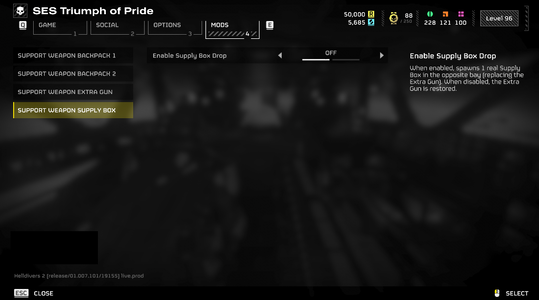
    • Configured via Options → MODS → Support Weapon.
    • Universal 3-slot setup across all weapons.
    • Compact 3-tab layout.
  • Screenshot_menu_safe.png


    Screenshot 2026-10-08 143938.png

    Hellpod Layout​

    • Slot 1: Primary Weapon (Native call-in)
    • Bay 2: Auto / Secondary Weapon / Backpack / Supply Box
    • Bay 3: Left Rack (Any Backpack / Weapon / Supply Box)
    • Bay 4: Right Rack (Any Backpack / Weapon / Supply Box)

      Quick Tips​
    • Sync / Refresh: If drops ever feel out of sync after joining a mission or updating mods, open F10 and click your profile card or [RELOAD] to re-arm all pods instantly.
    • Load Order: Give this mod and Bingus Shared Loader high priority in your mod manager.
    • Multiplayer: All squad members should install the mod to interact with extra dropped items without placeholder icons.
Known Incompatible Mods
(v0.4.5 only; v0.5.0 should have no problem with those mods, though not fully tested yet)
Requirements


Installation
  • Close Helldivers 2.
  • Install and enable the dependencies in your mod manager (Arsenal, Echelon, or Vortex).
  • Import your chosen version zip archive (HD2-Support-Weapon-Quad-Drop-0.5.0.zip or 0.4.5) and enable it.
  • Deploy mods and launch the game.
  • In-game:
    • For v0.5.0: Press F10 to open the HUD, select your weapons and payloads, or click a profile.
    • For v0.4.5: Open Options -> MODS, configure your slots, and press Apply.


Multiplayer
requirement: All players must install this mod and its required dependencies. Players without it may see a purple question mark instead of the added backpack and be unable to interact with it. Additional testing is still needed to verify if 2 players using this mod will still see the purple question mark or not.


Credits
- birdzlittlehelper — Creator and author of the original 0.2.0 version
- Clover886 — Creator of the original Quasar + Shield Pack Care Package.
- CowboyBingus — Creator of Bingus Shared Loader and the Mod Options Menu.
- SkyeShade — Creator of HD2Runtime.
- UI Inspiration:
  • Shodan / Armory Mod — Inspiration for the in-game tactical overlay concept.


Permissions
Anyone is welcome to use, modify, improve, redistribute, or build upon this mod. Please retain credit to all contributors.
161.3 KB
Log in or sign up to download
Uploaded by
teucer
Downloads
540
Comments
37
Views
5,297
First release
Last update
Platform
PC 
Version
0.5.1
Rating
5.00 star(s) 1 ratings

Uploaded by

  • 540
  • 5,297

Ratings

5.00 star(s) 1 ratings

More mods from teucer

  • PC Support Weapon Quad-Drop + Better AC-8 Autocannon with B-1 Supply Pack

Latest updates

  1. Hotfix layout collisions and refine backpack warnings

    Bumped version to 0.5.1 across HUD title bar, manifest, and runtime headers Relocated heavy...
  2. 0.5.0 - The Quad-Drop Customizer Update

    v0.5.0 Changelog: - New F10 In-Game Menu: Configure all 29 support weapons on the fly without...
  3. 0.4.5 - Compatibility Overhaul & Mod Options Sync Fix

    bug fixes

Desiderium

Members
Members
Oct 4, 2026
86
27
反复调了很久,三个前置都有,游戏内mod设置选项也都有,但就是不生效。差log日志也一切正常,没什么报错,没招了(悲)
Yes, I also have the same issue.
 

Oscar1108

Members
Members
Apr 30, 2025
2
1
0.4.0沒問題,就是和double leveller 有衝突
 

teucer

Members
Members
Oct 3, 2026
14
6
i just saw the new mod you made per request and also the reply. Thanks again for you the effort and fast response! you are goated!

but if you dont mind sharing, how did you manage to make support weapons drop with a Backup of your choice? can you do that with shodan too or do you need other tools or knowhow?
No, you cannot do this with Shodan Stat Editor. to drop custom backpacks, I wrote a lua script using HD2Runtime: to patch the hellpod rack slots (hd2.pod_rack) and raise the pod spawn count to 4.
 
Last edited:

teucer

Members
Members
Oct 3, 2026
14
6
Does this mod not work with modded weapons? My AMR is modded and I'm not getting any extra items in the hellpod at all (I have all the dependencies properly installed and load-ordered and 100% up-to-date.)

Edit: It's completely not working even on unmodded stratagems. I have everything enabled too. Not sure what's going on. I'm wondering if there's an incompatibility somewhere. The options are appearing in the mod option menu but don't seem to be applying any changes at all.

The only change from vanilla I'm noticing is that the weapon stratagem hellpods have an empty back slot (in vanilla, they land with a closed back slot), but they do not have side slots at all.

Edit 2: During the troubleshooting process (purging/redeploying mods, reinstalling the mod, changing load orders, etc.) the options for this mod in the mod menu disappear, but it also isn't working when the options are available.
just woke up , i'll try to make it work with any modded weapon
Standard modded weapons (stats/ammo) do work fine

If you see an open back slot with no side doors, check
make sure Bay 1 and Bay 2 are toggled ON in the Mod Options menu
 
Last edited:

Oscar1108

Members
Members
Apr 30, 2025
2
1
my bad, it's all good now.I set mod's load priority wrong.
 

Desiderium

Members
Members
Oct 4, 2026
86
27
just woke up , i'll try to make it work with any modded weapon
Standard modded weapons (stats/ammo) do work fine

If you see an open back slot with no side doors, check
make sure Bay 1 and Bay 2 are toggled ON in the Mod Options menu
They are indeed toggled on. It's just not working for me, including standard unmodded weapons.

Can I give you my modlist or something? Would that help? And good morning.
 

Desiderium

Members
Members
Oct 4, 2026
86
27
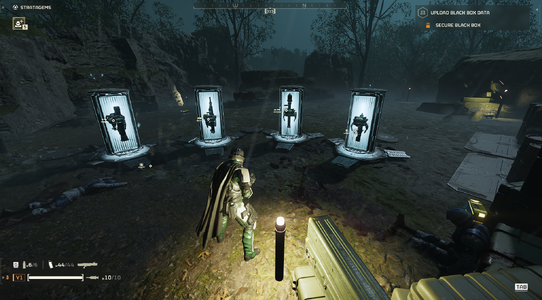
I kind of got it working? But it looks like this:
CCK1r6r.png


This is with just the mod and its dependencies and nothing else. In order to achieve this result I had to disable the supply pack and extra weapon. I will now test with the rest of my modlist

Edit: With these exact same settings, the mod is not working with the rest of my modlist, so something is conflicting, but I don't know what it is. I'll maybe do a one-by-one test later.
 
Last edited:

teucer

Members
Members
Oct 3, 2026
14
6
They are indeed toggled on. It's just not working for me, including standard unmodded weapons.

Can I give you my modlist or something? Would that help? And good morning.
hmm. maybe set the mod's load priority higher, this worked for Oscar1108.
I use Echelon with a bunch of mods without any issues.
 

teucer

Members
Members
Oct 3, 2026
14
6
I kind of got it working? But it looks like this:
CCK1r6r.png


This is with just the mod and its dependencies and nothing else. I will now test with the rest of my modlist
haha, yeah, it looks like that. i didn't arrange everything neatly because it's hard to fit four different-sized items into one hellpod