
Support Weapon Quad-Drop 0.5.1

A Mod for Helldivers 2
Support Weapon Quad-Drop akl_mod_preview_image
  • Screenshot_v042_account_censored.png
    Screenshot_v042_account_censored.png
    224.5 KB · Views: 868
  • Screenshot 2026-10-08 100913.png
    Screenshot 2026-10-08 100913.png
    3.2 MB · Views: 370

Support Weapon Quad-Drop ​


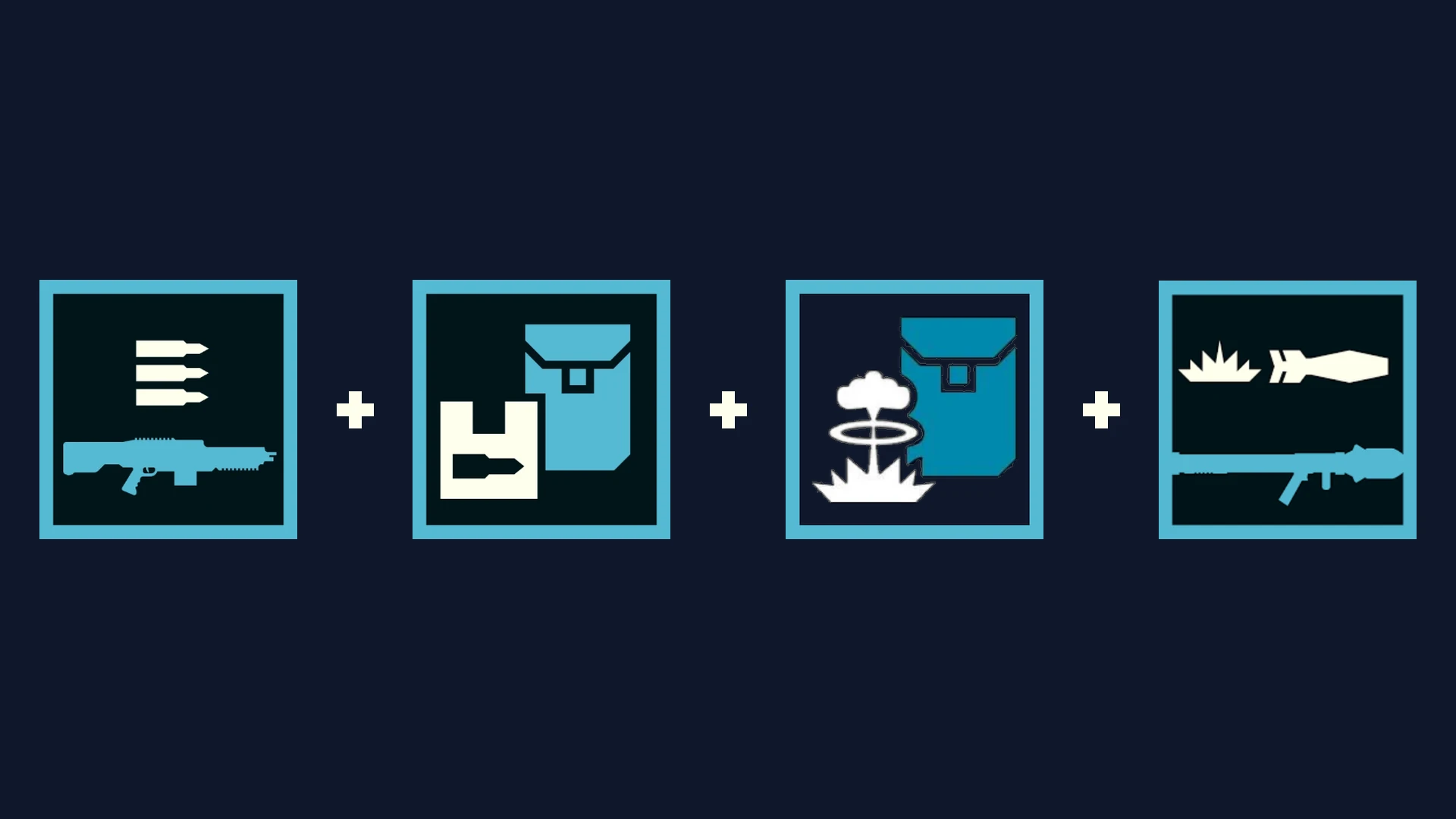
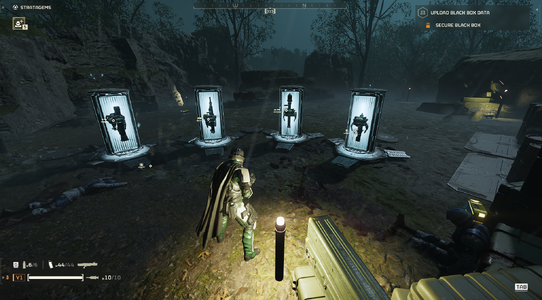
Support Weapon Quad-Drop expands your support weapon Hellpods with 3 bonus equipment slots. A single stratagem call-in drops up to 4 items simultaneously: your primary support weapon, a secondary weapon or payload, and two backpacks/utility items from the same hellpod.


  • • v0.5.0 (In-Game HUD) (currently fixing backpack weapons)​

    • Press F10 anywhere (Ship or In-Mission) to open Esc to close.
    • Customize all 29 support weapons individually.
    • Live search bar, mouse wheel scrolling, and 1-click loadout profiles.
    • Zero Mod Menu Tabs used (leaves all 8 tabs open for other mods).
  • Screenshot 2026-10-08 201008.png

    • v0.4.5 (Pause Menu)​

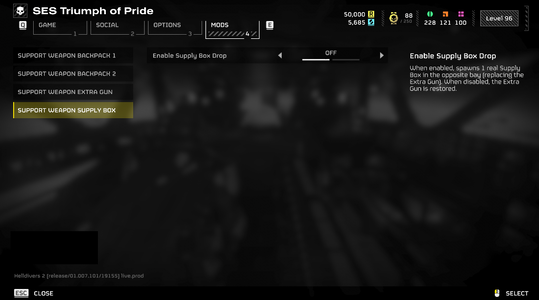
    • Configured via Options → MODS → Support Weapon.
    • Universal 3-slot setup across all weapons.
    • Compact 3-tab layout.
  • Screenshot_menu_safe.png


    Screenshot 2026-10-08 143938.png

    Hellpod Layout​

    • Slot 1: Primary Weapon (Native call-in)
    • Bay 2: Auto / Secondary Weapon / Backpack / Supply Box
    • Bay 3: Left Rack (Any Backpack / Weapon / Supply Box)
    • Bay 4: Right Rack (Any Backpack / Weapon / Supply Box)

      Quick Tips​
    • Sync / Refresh: If drops ever feel out of sync after joining a mission or updating mods, open F10 and click your profile card or [RELOAD] to re-arm all pods instantly.
    • Load Order: Give this mod and Bingus Shared Loader high priority in your mod manager.
    • Multiplayer: All squad members should install the mod to interact with extra dropped items without placeholder icons.
Known Incompatible Mods
(v0.4.5 only; v0.5.0 should have no problem with those mods, though not fully tested yet)
Requirements


Installation
  • Close Helldivers 2.
  • Install and enable the dependencies in your mod manager (Arsenal, Echelon, or Vortex).
  • Import your chosen version zip archive (HD2-Support-Weapon-Quad-Drop-0.5.0.zip or 0.4.5) and enable it.
  • Deploy mods and launch the game.
  • In-game:
    • For v0.5.0: Press F10 to open the HUD, select your weapons and payloads, or click a profile.
    • For v0.4.5: Open Options -> MODS, configure your slots, and press Apply.


Multiplayer
requirement: All players must install this mod and its required dependencies. Players without it may see a purple question mark instead of the added backpack and be unable to interact with it. Additional testing is still needed to verify if 2 players using this mod will still see the purple question mark or not.


Credits
- birdzlittlehelper — Creator and author of the original 0.2.0 version
- Clover886 — Creator of the original Quasar + Shield Pack Care Package.
- CowboyBingus — Creator of Bingus Shared Loader and the Mod Options Menu.
- SkyeShade — Creator of HD2Runtime.
- UI Inspiration:
  • Shodan / Armory Mod — Inspiration for the in-game tactical overlay concept.


Permissions
Anyone is welcome to use, modify, improve, redistribute, or build upon this mod. Please retain credit to all contributors.
161.3 KB
Log in or sign up to download
Uploaded by
teucer
Downloads
539
Comments
37
Views
5,292
First release
Last update
Platform
PC 
Version
0.5.1
Rating
5.00 star(s) 1 ratings

Uploaded by

  • 539
  • 5,292

Ratings

5.00 star(s) 1 ratings

More mods from teucer

  • PC Support Weapon Quad-Drop + Better AC-8 Autocannon with B-1 Supply Pack

Latest updates

  1. Hotfix layout collisions and refine backpack warnings

    Bumped version to 0.5.1 across HUD title bar, manifest, and runtime headers Relocated heavy...
  2. 0.5.0 - The Quad-Drop Customizer Update

    v0.5.0 Changelog: - New F10 In-Game Menu: Configure all 29 support weapons on the fly without...
  3. 0.4.5 - Compatibility Overhaul & Mod Options Sync Fix

    bug fixes

ttjjuun

Members
Members
Sep 15, 2026
13
1
Ugh, I have no idea which mod is causing the conflict... It just won't work...
 

teucer

Members
Members
Oct 3, 2026
14
6
Ugh, I have no idea which mod is causing the conflict... It just won't work...
just uploaded 0.5.0, try that version. it is more compatible and if it still doesn't work try reloading the config
 
Last edited:

D-Glitch

Modder
Modder
Members
Sep 27, 2026
274
94
Hey, I'm back after sleeping, doing the one-by-one test.

So far, I have discovered that this mod still works with modded weapons.

This mod also still works with cosmetically-modded hellpods.

There are a LOT of incompatible mods, likely far more than I've discovered here:

CONFIRMED INCOMPATIBILITIES (Quad-Drop won't work at all):​

I have informed the mod authors where possible about the incompatibility between your mod and theirs, as I'm not sure if the fix would lie on your end or on theirs.​

Damn, my mods are somehow interfering this one. I wonder what could be the problem, as my mods are only changing stats and this is it. Though mods from other authors are pretty much the same.
 

justme123

Members
Members
Sep 22, 2026
2
0
I cant get this to work, I have installed both types, the MOD menu one doesnt appear on the menu and the F3 one appears and i can customize and save it but theres no way to action it. What am i doing wrong?
 

qazzy

Members
Members
Sep 28, 2026
4
0
Mod appears to be broken, the F10 menu doesnt show up and the extra stuff in the pods dont appear either.
 

TimeFIre

Members
Members
Sep 26, 2026
2
0
Can we change the F10 open menu key to other keyboard keys, because I found if i press the F10 the HD2runtime page will open and i can not see the option menu of this mod:哎呀:
 

teucer

Members
Members
Oct 3, 2026
14
6
Can we change the F10 open menu key to other keyboard keys, because I found if i press the F10 the HD2runtime page will open and i can not see the option menu of this mod:哎呀:
yes, you can change the keybind