ModDiver Laboratory 2.8.5

A Mod for Helldivers 2
ModDiver Laboratory akl_mod_preview_image
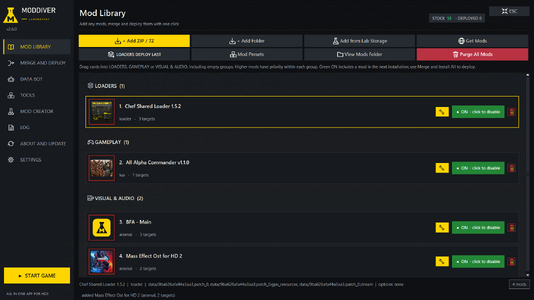
  • 1-library.png
    1-library.png
    166.2 KB · Views: 581
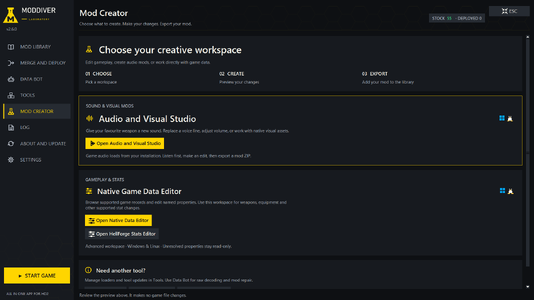
  • 3-modCreator.png
    3-modCreator.png
    106.1 KB · Views: 607
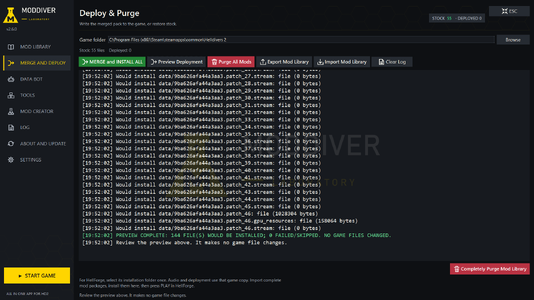
  • 2-mergeAndDeploy.png
    2-mergeAndDeploy.png
    214.4 KB · Views: 550
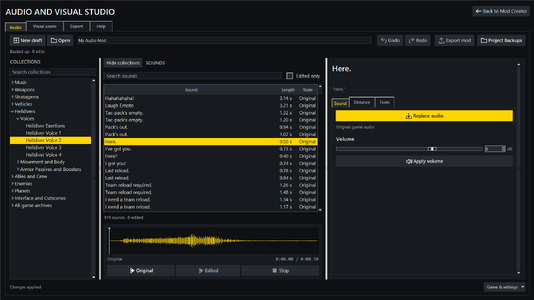
  • 4-audioStudio.png
    4-audioStudio.png
    97.1 KB · Views: 508
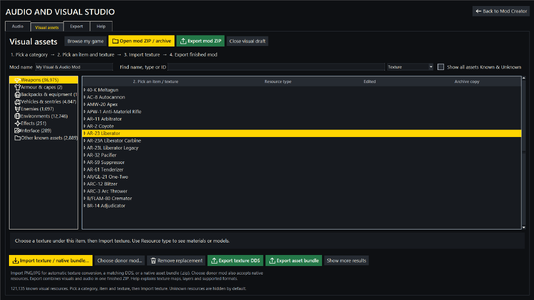
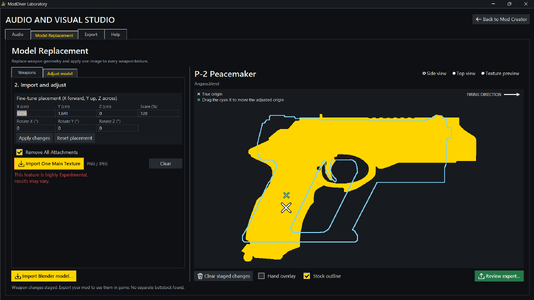
  • 5-visualStudio.png
    5-visualStudio.png
    88.1 KB · Views: 502
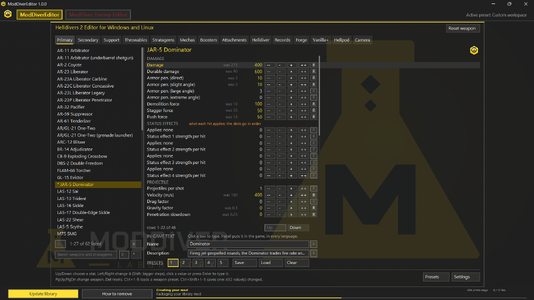
  • 6-ModDiverEditor.png
    6-ModDiverEditor.png
    298.7 KB · Views: 460
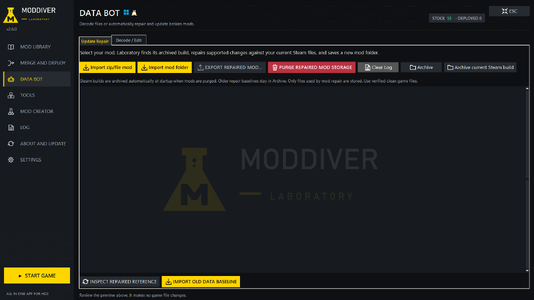
  • 7-UpdateAndRepairBot.png
    7-UpdateAndRepairBot.png
    96.4 KB · Views: 420
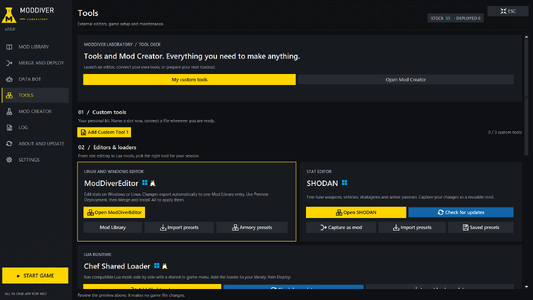
  • 8-tools.png
    8-tools.png
    99.8 KB · Views: 330
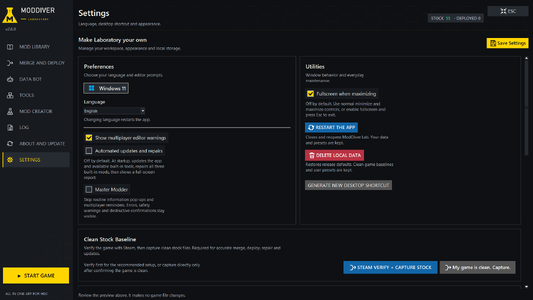
  • 9-Settings.png
    9-Settings.png
    113.8 KB · Views: 328
  • In-Editor-View.png
    In-Editor-View.png
    78.7 KB · Views: 219
⬆️SCREENSHOTS MAYBE OUTDATED (I will try to replace if the program becomes unrecognizable)⬆️
ModDiver Laboratory - Detailed Description

ModDiver Laboratory is a free, open-source Windows and Linux application for Helldivers 2. Built-in features that let anybody with any level of knowledge shape Helldivers 2 into the game they want. Your creativity is the limit. Now available in English, Chinese and Russian. Comment bellow for any feature requests.

The app includes its own Python runtime, so you do not need to install Python separately. Very simple install for most platforms.

Merge Engine 📂➕📁🟰📁

The Merge Engine is the core of the program its methodology is used throughout the program to modify, merge and edit game files. It calculates hundreds of different tests before merging your mods and deploying them into the game. Done so by using a captured stock copy of the game files as its baseline.

- It compares each mod's game-data file with the stock file and identifies the changed byte ranges.
- It combines changes that can be applied together and logs conflicts with the affected offsets and mod names.
- Mods higher in the enabled list take priority when changes overlap.
- For many known game-data tables, it can also flag changes to different fields within the same fixed-size record as a possible conflict and even automatically resolve them.
- If a candidate changes the file length, the Laboratory avoids merging by byte offsets and uses the highest-priority candidate for that file.
- The merged data is hash-corrected, sealed again, checked, and then written to the game. In other words the merge engine and the built-in mod repair algorithm (DATA BOT) are able to repair and update most data mods even if the signatures have shifted due to game updates.

Editors and Mod Creation 📝
  • Many built-in tools, too many to list. If you can think of it, I have made it.
  • Support for most if not all platforms.

Windows installation win10 and win11 🪟

  1. Download ModDiver-Laboratory-Windows.zip.
  2. Extract the entire ZIP into a normal folder.
  3. Open the extracted folder and launch ModDiver Laboratory.exe.
  4. Python is included; wait for first-launch setup.
  5. In Merge and Deploy, select the Helldivers 2 folder containing data and bin.
Native Linux installation — all five families 🐧

  1. Use a graphical desktop with Python 3.10 or newer available.
  2. Download ModDiver-Laboratory-Linux.zip and extract it into your home folder.
  3. Open a terminal inside the extracted ModDiver Laboratory folder.
  4. Run sh install-linux.sh.
  5. Enter your administrator password when requested to install dependencies.
  6. Wait for the app to open. Future launches use ModDiver Laboratory in your application menu.
  7. Select your Helldivers 2 installation in Merge and Deploy.
Alpine additionally needs its community repository for Tkinter. The automatic installer uses sudo; an administrator can install dependencies beforehand.

Distrobox installation — all eight systems 📦

  1. Enter your desktop session; on Steam Deck, switch to Desktop Mode.
  2. Ensure Distrobox and a working Podman or Docker runtime are available. Distrobox guidance
  3. Extract the Linux ZIP into your home folder.
  4. Open a host terminal inside the extracted application folder.
  5. Run sh install-linux-distrobox.sh.
  6. Wait for the Ubuntu container, dependencies and application shortcut to be created.
  7. Launch through ModDiver Laboratory in the host application menu.
  8. Select a game installation accessible from inside the container.

Credits

- KNOT - ModDiver Laboratory, testing.
- Yao - ModDiver Laboratory, Merge Engine, All Native Editors.

See LICENSES.md in the release for third-party component licenses.

Source code : ModDiver Lab GitHub
  • Like
Reactions: Djangozi
58.9 MB
Log in or sign up to download
Uploaded by
yaoMods
Downloads
516
Comments
44
Views
10,834
First release
Last update
Platform
PC 
Version
2.8.5
Rating
0.00 star(s) 0 ratings

Uploaded by

  • 516
  • 10,834

Ratings

0.00 star(s) 0 ratings

More mods from yaoMods

  • PC Realistic Athletic Helldiver

  • PC THE ILLUMINATE GREAT HOST

  • PC BETTER OR WORSE PASSIVES

  • PC Yao's Democracy Protects Streak Rebalance

Latest updates

  1. 2.8.2 was supposed to be last but I already had 2.8.5 ready. So might aswell

    Better Get Mods UI Better deployment recognition (mods that modify the same file and same line...
  2. DEVOLOPMENT SUSPENDED maybe

    Arrowhead came out with a blog that talks about the removal of most mods and increased...
  3. 2.8.2 Mods Auto-Update and Auto-Download

    - You can now click "Get Mods" -> pick your website -> pick a mod -> download. The mod download...

Wandering Fox

Members
Members
Sep 27, 2026
12
0
I looked into the issue. ModDiver Lab fully supports Arsenal mods and all other possible cosmetic/audio mods, it also supports new types of mods that arsenal doesn't deploy. The ones that target data files.

For BFA, I only had problems locating the mod zip folder with (add zip, now fixed). However, after extracting it can be added to the library with (add folder). After that I deployed BFA with and without content unlocker but both worked fine so the merge engine did its job because they both target the same files. So I think the issue was with options in the library. Because BFA has a lot of options you have to pick and the default is 1, so you didn't see anything in-game because they weren't selected. That being said i also forgot to add the scroll feature to the options tab so even if you tried opening the options tab you would not be able to select all options.

I have now released the new 1.8.5 version which adds the scroll and select all/none to options tab. Options tab is also made easier to see. I have also added the auto-update feature in the About/Update section so now the program will update it self on its own. 7z is also a supported import format now.
Whoa, you are awesome. Thank you for finding and fixing the issue so quickly. Works like a charm now.
 

Wandering Fox

Members
Members
Sep 27, 2026
12
0
Oop, running in to another issue. I downloaded the Hellpod Steering Unlocked mod and followed the instructions regarding the Steering folder from the zip, but it still says the archive was not found. I tried the entire folder, and just the 3 files in the folder, both inside the Optional Addons folder, and next to the Combined Community Mods.exe file, and neither is working. Should I just install it like a normal mod instead?
 

yaoMods

Members
Members
Sep 22, 2026
25
11
Oop, running in to another issue. I downloaded the Hellpod Steering Unlocked mod and followed the instructions regarding the Steering folder from the zip, but it still says the archive was not found. I tried the entire folder, and just the 3 files in the folder, both inside the Optional Addons folder, and next to the Combined Community Mods.exe file, and neither is working. Should I just install it like a normal mod instead?
You can install this directly through ModDiver. In Mods, click Add ZIP and select the original Hellpod-Steering-Unlocked-1.0.1.zip. Enable it, close the game, then click Deploy → Install All. You don’t need to copy files into CCM’s Optional Addons folder for this method. If CCM previously installed its copy, restore it first and leave its steering option off to avoid deploying the patch twice.
 

Wandering Fox

Members
Members
Sep 27, 2026
12
0
Ok, will do. It didn't actually install. Whatever version that you have integrated into the ModDiver had instructions for adding the Steering mod as an optional addon for the community mods, so that was what I did. I will just install it like a normal mod instead.
 

Franxs03

Members
Members
Oct 3, 2026
48
4
I'm running into some issues trying to make this mod work on Linux, i know it could be difficult but do you think you could make a Linux version?
 

Wandering Fox

Members
Members
Sep 27, 2026
12
0
It looks like there are newer versions of the tools you have integrated into this, like Chef's mod loader and the community mod tools. Can we update the ones used by ModDiver by replacing the files ourselves, or do we need to wait for you to update them in the tool itself?
 

yaoMods

Members
Members
Sep 22, 2026
25
11
I'm running into some issues trying to make this mod work on Linux, i know it could be difficult but do you think you could make a Linux version?
Unfortunately no, ModDiver Lab launcher depends on .NET Framework and pythonw.exe, the app calls Windows APIs, and both bundled editors and their DLLs are Windows binaries (meaning even the editors are windows only). Maybe in the future.
 

yaoMods

Members
Members
Sep 22, 2026
25
11
It looks like there are newer versions of the tools you have integrated into this, like Chef's mod loader and the community mod tools. Can we update the ones used by ModDiver by replacing the files ourselves, or do we need to wait for you to update them in the tool itself?
Yes, you can update these yourself by swapping the files in "C:\Users\YOURNAME\OneDrive\Desktop\ModDiver- Laboratory-Windows\ModDiver Laboratory\source\builtin". I am working on a new version that should solve that problem. Alternatively, for the loaders only you can just import them as a mod. That will also work, just don't import both the built-in version and the newer one together.
 

Franxs03

Members
Members
Oct 3, 2026
48
4
Unfortunately no, ModDiver Lab launcher depends on .NET Framework and pythonw.exe, the app calls Windows APIs, and both bundled editors and their DLLs are Windows binaries (meaning even the editors are windows only). Maybe in the future.
Ah, that's quite unfortunate
 

KNOT

Members
Members
Sep 25, 2026
3
3
New update 2.0.0 is out now with Linux support (Beta) Please let us know if the Linux support has any problems.